Stock management for small shops: a simple system that works
A simple stock system for a small shop: what to count, how to start, the three movements to record, a weekly check, and how to find out why the count is wrong.
In this article
Your records say 48 bottles of shampoo. The shelf has 41. Were seven sold without a bill, delivered short, given to a relative, or never there? Most small shops cannot answer, so they stop trusting the numbers, and then stop keeping them. A stock system only has to do one thing well: make every change in the count explainable.
Count fewer things, properly
The usual mistake is trying to track all 1,500 items from day one, giving up in a month, and tracking none. Start small.
- Track the items that matter most in money. Often a small group of items holds most of the stock value: branded oils, cosmetics, batteries, soft drinks by the case. Start with your top 50 by value.
- Track items that go missing. Small, costly things near the counter: razors, memory cards, chocolates.
- Leave out what you cannot count exactly. Loose goods sold by the gram, or services, can stay untracked until the rest is running smoothly.
Start with an honest opening count
- 1Pick a quiet day, such as a weekly off or early morning, and count every tracked item on the shelf and in the godown.
- 2Write down what each item cost you, from the latest supplier bill. Without a cost, your profit figures will be wrong from the first sale.
- 3Enter the counts as your opening stock and do not change them afterwards. From now on, the count only changes through a recorded movement.
The three movements to record
Once the opening count is in, stock changes in only three ways. Record each one with its document, and the count explains itself.
| Movement | Document | Common slip |
|---|---|---|
| Stock in | Supplier's purchase bill | Goods put on the shelf before the bill is entered |
| Stock out | Your sales bill | Small sales handed over without a bill |
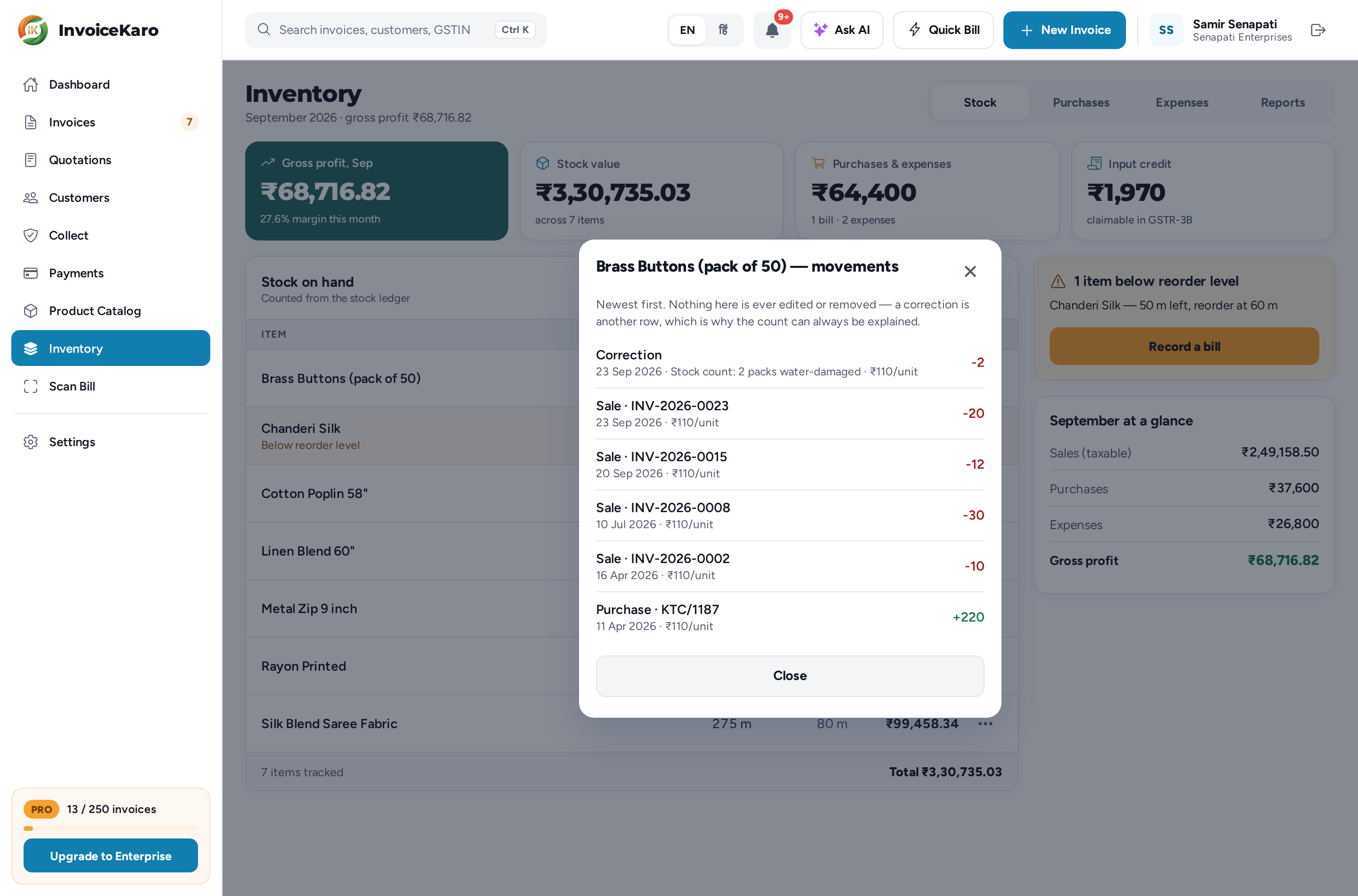
| Correction | A note with the reason: damaged, expired, missing, sample | Changing the number without saying why |
A correction without a reason is the one entry that destroys trust in the system. 'Minus 2, expired, batch of March' can be checked. 'Minus 2' cannot. For the stock-in side, see purchase bills: the habit that keeps stock right.
A weekly check, not a yearly shock
Do not wait for a full year-end count. Each week, count ten items, picked from different shelves, and compare with the records. If you started with your top 50 items, you will have checked every one of them in five weeks without ever closing for a day.
Worked example: you count shampoo and find 41 against a record of 48. Seven bottles at a cost of ₹180 each is ₹1,260. Before you write it off, look at the item's history in this order:
- Was a purchase entered twice, or entered with the wrong quantity? Compare with the supplier's bill.
- Were bottles sold without a bill? Ask the counter staff about busy hours.
- Were any damaged or returned to the supplier without a note?
- Is stock sitting in another place, such as the godown or a display rack?
If none of these explains it, record a correction of minus 7 with the reason 'not found at count, week 46'. If the same item is short three weeks running, you have a leak to fix, not a counting problem.
When to reorder, and what it costs
Once counts are reliable, two more things become possible. You can set a level at which each item should be reordered, explained in reorder levels and low-stock alerts. And you can see what your stock is worth and what each sale really cost you, covered in average cost and cost of goods sold.
How InvoiceKaro keeps the count
In InvoiceKaro stock tracking is off by default and you switch it on per item. Opening stock, with an optional cost per unit, can be set once per item. After that the count moves through purchase bills, issued invoices and Quick Bill sales; drafts do not move stock. Corrections are made with Adjust, need a reason, and only the owner can save them. Every movement is kept in a ledger that is never edited, and History shows an item's latest 100 movements.
A sale larger than the recorded count is warned about, not blocked, and a negative count is flagged for correction. Cost prices and stock value are visible to the owner only. See tracking stock.