Purchase bills: the habit that keeps stock and costs right
Why every supplier bill should be entered the day goods arrive, what to check and record on it, and what goes wrong with stock and profit when purchase entry is skipped.
In this article
The van arrives at 11, the boy unloads 30 cartons, the supplier's bill goes into the drawer, and the shop gets busy. Three weeks later your stock says minus 12 and your profit for the month looks wonderful. Neither is true. Both come from one skipped habit: entering the purchase bill.
Why the purchase bill matters more than it looks
A sales bill takes stock out. A purchase bill brings it in. If you record one side and not the other, every number built on stock goes wrong:
- Stock count. Sales keep reducing a count that was never increased, so it goes negative.
- Cost of what you sold. Without the bill, your records do not know what the goods cost, so sales look like pure profit.
- What you owe suppliers. The bill in the drawer is a debt your records cannot see.
- Your accountant's work. They need every purchase bill, in order, with the supplier's number and date.
What skipping it does: a worked example
Say you run a grocery store. You buy 30 cartons of cooking oil at ₹1,650 a carton, ₹49,500 before tax, and sell all 30 over the month at ₹1,800 a carton.
| Bill entered | Bill not entered | |
|---|---|---|
| Stock count after the sales | 0 | Minus 30 |
| Sales | ₹54,000 | ₹54,000 |
| Cost of goods sold | ₹49,500 | ₹0 (unknown) |
| Gross profit shown | ₹4,500 | ₹54,000 |
The real profit is ₹4,500, or about 8%. The skipped bill makes it look like ₹54,000. Decisions made on that figure, such as cutting prices or taking money out of the business, are made on a number that is wrong by ₹49,500.
A routine for every delivery
- 1Check the goods against the bill before you sign. Count cartons, check items and look for damage. If you raised an order, compare with it too.
- 2Note any shortage on the delivery copy and tell the supplier the same day. 'Billed 30, received 28' is easy to fix today and hard to prove next week.
- 3Enter the bill the same day. Supplier, their bill number, the bill date, and each line with quantity, cost per unit and the GST shown on the bill.
- 4Enter freight or loading charges as separate lines so they are not mixed into the cost of one item by accident.
- 5File the paper bill in date order, or keep a clear photo of it.
GST on purchase bills
Record the GST shown on each supplier bill exactly as printed. That gives your accountant a clean list. Whether you can claim input tax credit on any of it depends on rules and conditions your accountant will check; writing it down in your records does not by itself make it claimable.
When the supplier's price changes
If you bought oil at ₹1,650 last month and ₹1,720 this month, what did the cartons on your shelf cost? A common method is an average of the two, weighted by quantity, so the cost does not jump with every new bill. The method, and how it feeds your profit figures, is explained in average cost and cost of goods sold.
Recording purchases in InvoiceKaro
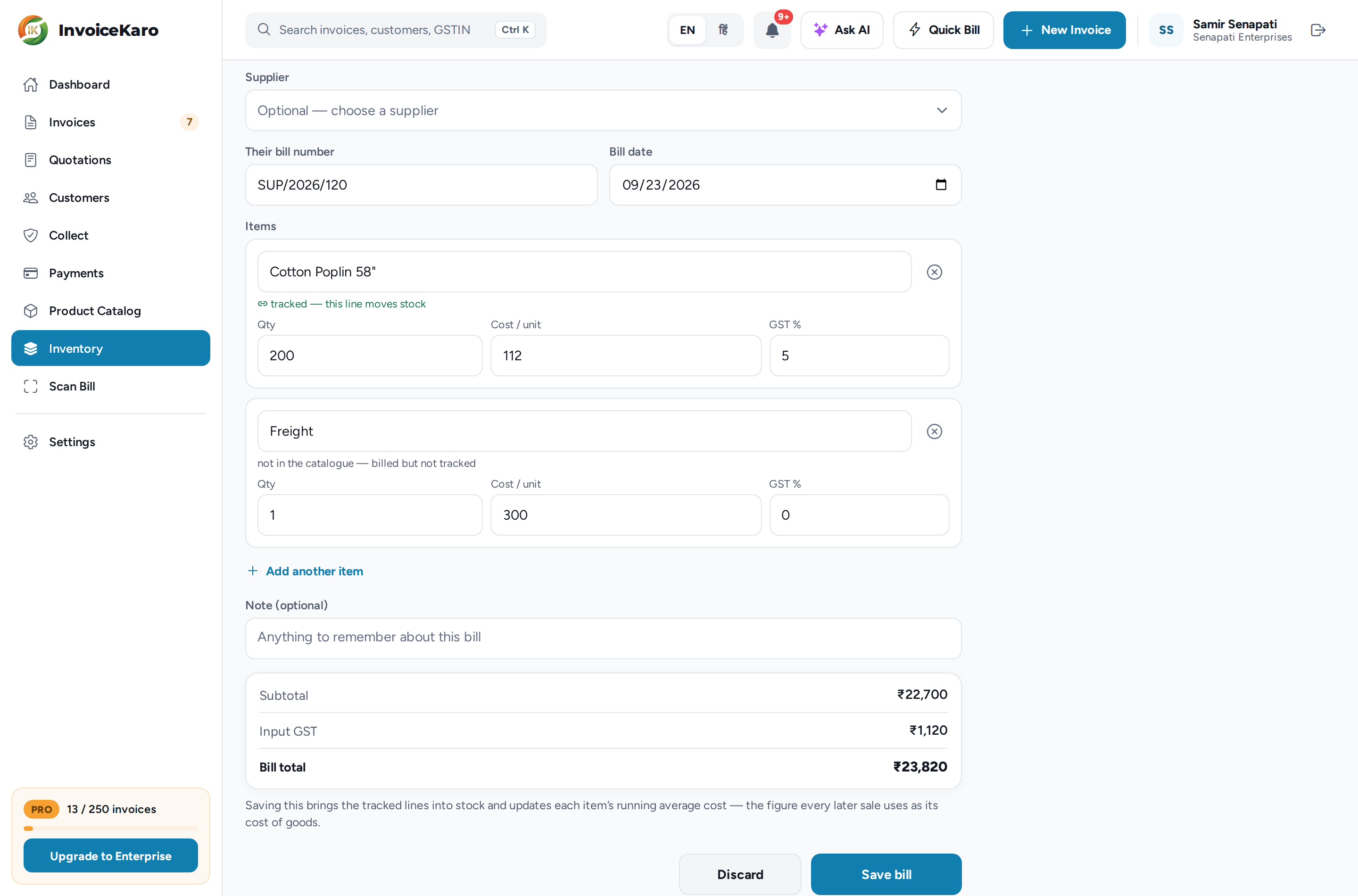
In InvoiceKaro you open Inventory → Purchases and click Record a bill. A line picked from your catalogue is linked and brings stock in; a typed line, such as freight, is billed but not tracked. Each linked line updates that item's weighted average cost. Scan Bill can fill the form from a photo of the bill, but you must check every line, especially the GST rate, before saving.
A purchase order marked Received records the purchase bill for you, so do not enter that bill again. Cancel bill hands the stock back and keeps the bill on the register marked cancelled. Staff can record bills without seeing the amounts. The register shows the input GST recorded on your bills; that figure does not establish input tax credit. See the purchases guide.