
A payment follow-up schedule for unpaid invoices
A simple follow-up cadence for unpaid invoices, from three days before the due date to 45 days late, with what to say or do at each step.
In this article
Many unpaid invoices are not refused. They are forgotten, parked behind other bills, or stuck on a small question nobody asked. A fixed follow-up schedule deals with many of these, because the customer hears from you on known days, in a tone that rises slowly, and nothing depends on you remembering.
Below is a cadence that suits many small businesses selling on credit, what to say at each step, and how to run it every week without it taking over your day.
Start before the invoice goes out
A follow-up schedule only works if the basics are clear from day one. Before you send the invoice, check three things:
- The due date is written on the invoice, not just "30 days". See payment terms on invoices.
- You know who pays. In many businesses the person who orders is not the person who pays. Get the accounts person's name and WhatsApp number.
- The invoice is right. A wrong GSTIN, rate or quantity is a common reason for a payment to be held. See invoice mistakes that delay payment.
The schedule, step by step
| When | What to do | Tone |
|---|---|---|
| 3 days before the due date | Short message with the invoice number, amount, due date and how to pay. | Friendly |
| On the due date | Message saying it is due today. Ask them to share the UTR or UPI reference if already paid. | Friendly |
| 7 days late | Message asking for a payment date, and offering to fix any problem with the invoice or goods. Call if there is no reply in two days. | Polite, direct |
| 15 days late | Firmer message with a specific date to pay by. Phone the person who pays. | Firm |
| 30 days late | Written notice by email. Put further credit on hold until the account is cleared. | Firm, formal |
| 45 days late | Final notice with the facts, the reminder dates, one last date and your next step. | Final |
Ready-to-copy messages for each of these moments, in English and Hindi, are in payment reminder messages.
A worked example
Say you run a small wholesale business and on 1 November you have these open invoices:
| Customer | Amount | Due date | This week's step |
|---|---|---|---|
| Customer A | ₹38,000 | 4 November | Heads-up on 1 November |
| Customer B | ₹72,500 | 25 October | 7 days late: message, call on 3 November |
| Customer C | ₹1,15,000 | 17 October | 15 days late: firm message with a date, phone call |
| Customer D | ₹26,000 | 2 October | 30 days late: written notice, credit on hold |
That is four actions for ₹2,51,500 of money owed. Customer C matters most this week: it is the largest amount, and old invoices usually get harder to collect. Write the date of each step next to the invoice, so you know where every customer is in the schedule.
Make it a weekly habit
- 1Pick a fixed slot, for example Monday at 10 am, when you go through every unpaid invoice.
- 2Sort by due date, oldest late invoices first.
- 3Do the step each invoice has reached: message, call or notice.
- 4Record payments that arrived since last week, so nobody who has paid gets chased.
- 5Note what was promised. If a customer promises a date, put that date in your diary and follow up the day after if it slips.
Stop the schedule the moment an invoice is paid, and send a short thank-you.
How InvoiceKaro handles follow-up
InvoiceKaro treats ordinary invoices and Projects milestones differently, and the difference matters for this schedule.
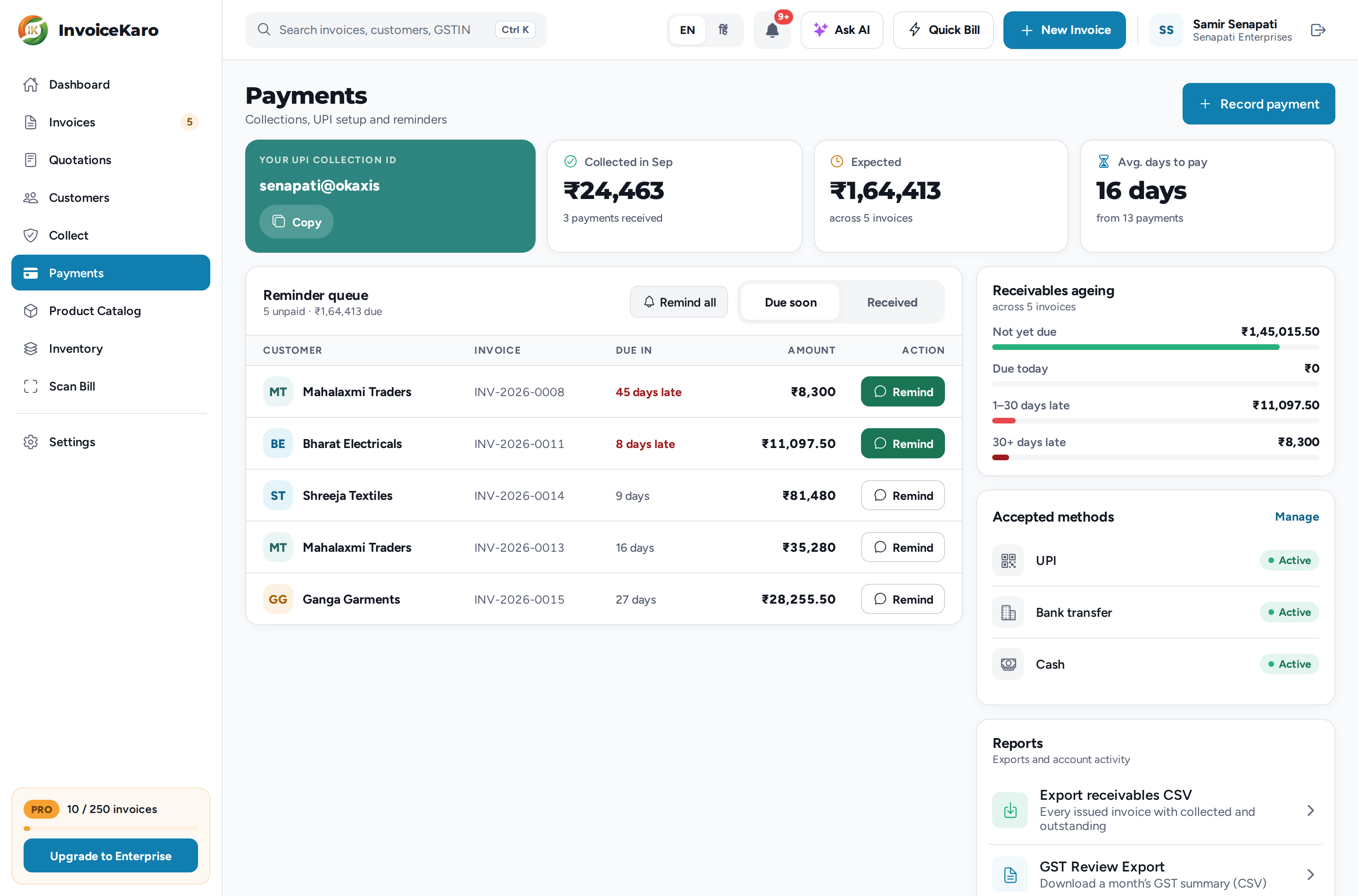
- Ordinary invoices: you send reminders by hand. There are no automatic reminders for them. Use Remind on one invoice, select several in Invoices and choose Send Reminder, use Remind on a customer for all their unpaid invoices, or open the Reminder queue on the Payments page, which lists every issued invoice with a balance, soonest due first, and press Remind all. Reminders go on WhatsApp and email, whichever the customer has switched on. See the Payments page.
- Projects milestones: a scheduled sequence, if you choose it. For milestone work in Projects, Schedule default reminders adds six reminders to a milestone: 3 days before the due date, on the due date, then 7, 15, 30 and 45 days after. InvoiceKaro tries to send each one on its day by WhatsApp or email, and skips it if the invoice is already paid, so keep the customer's contact details up to date. Nothing is scheduled until you choose it. See reminders and AI messages.
Phone calls, written notices and putting credit on hold stay with you. Payments are not detected automatically either: when money reaches your bank or UPI app, record it so the invoice leaves the queue. See recording payments.