
For each milestone, attach records of what you delivered and send the client a link to approve it. InvoiceKaro keeps that response in an acceptance certificate you can include when discussing the work or a disputed bill.
Attach proof to a milestone
- 1On the milestone card, click + Proof.
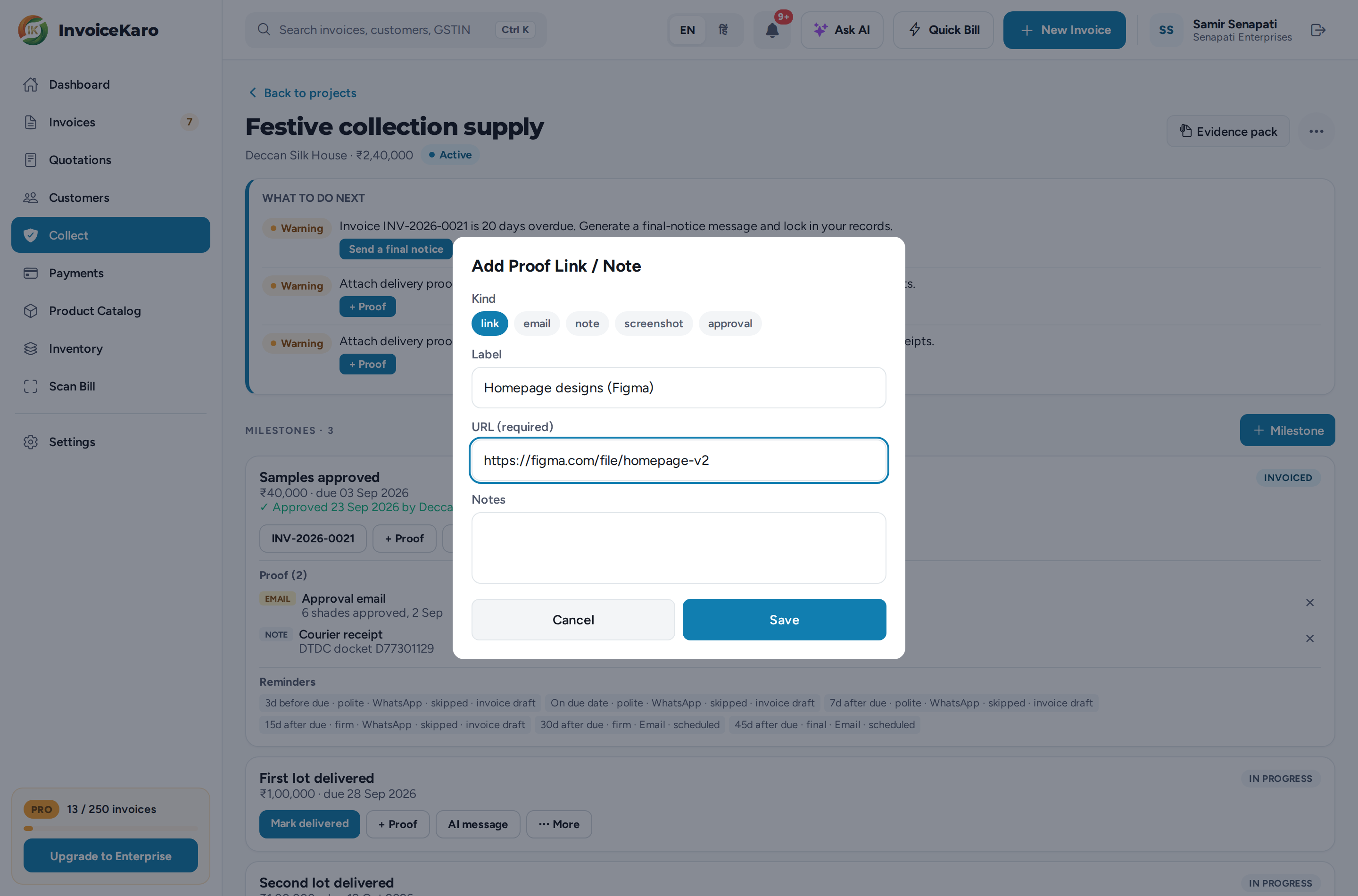
- 2Choose Upload file to attach a document or image, or Add link / note for anything else.
- 3For a link or note, pick the Kind (link, email, note, screenshot or approval) and give it a Label, such as “Approval email from Priya at Acme”. Add the URL (required for a link) and any Notes, then click Save.
You can upload PDF, PNG, JPG, WEBP, GIF, Word (DOC, DOCX), Excel (XLS, XLSX), TXT and CSV files of up to 20 MB each. Proof is listed on the milestone card under Proof. Click Open to view a file, or ✕ to remove an item.
Send the approval link
- 1Make sure the milestone is Delivered and has at least one piece of proof.
- 2Click Copy approval link. InvoiceKaro copies a secure link starting with
invoicekaro.com/approve/and tells you when it expires. - 3Send the link to your client on WhatsApp, by email or however you usually talk. They don't need an InvoiceKaro account.
Each approval link works for 14 days. If it runs out before the client gets to it, click Copy approval link again for a fresh one.
What the client sees
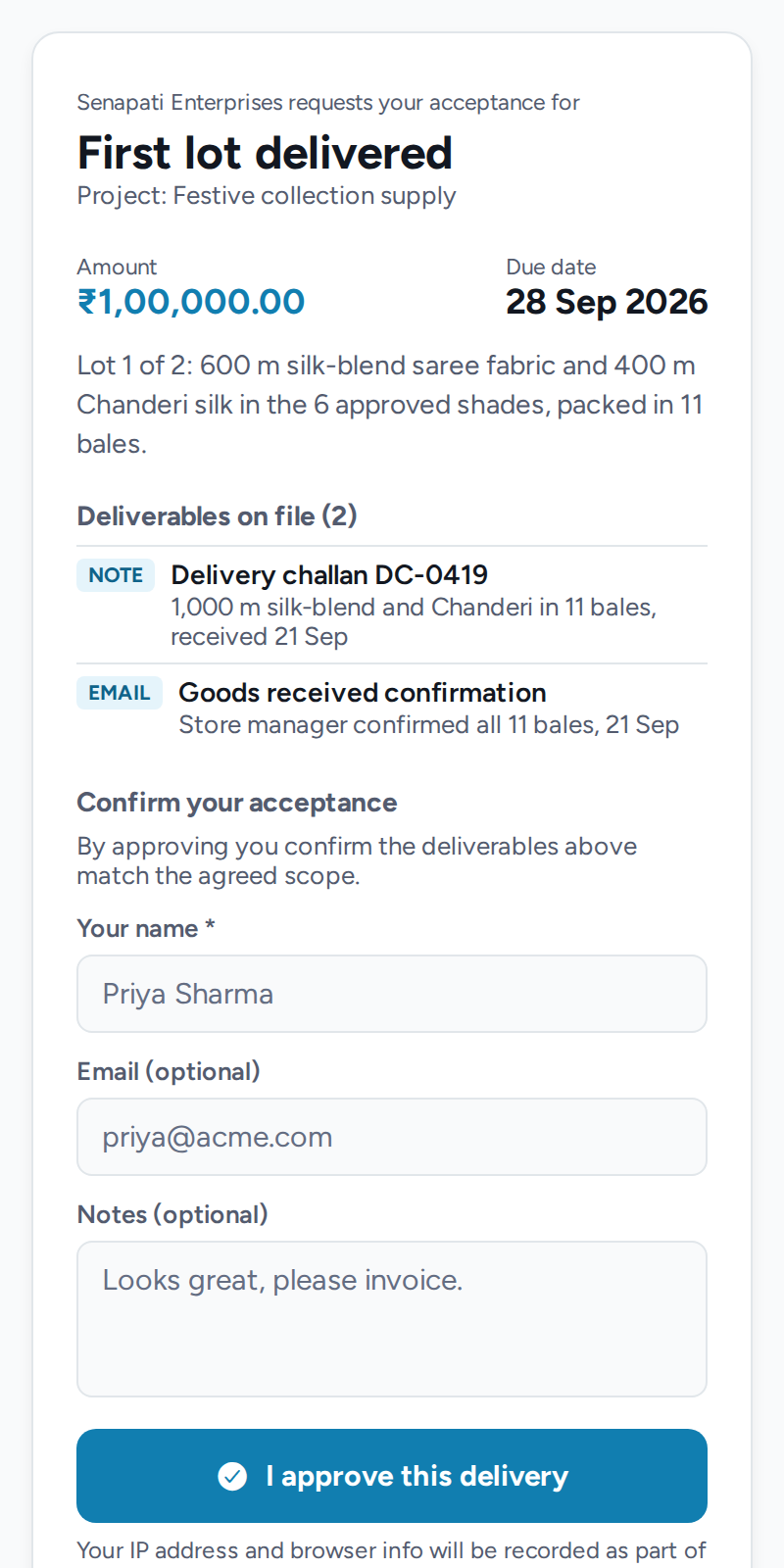
The approval page shows your business name, the milestone, its project, amount and due date, and the Deliverables on file: the kind, label or file name, and notes of each piece of proof. To accept, the client fills in Your name (required), an optional Email and optional Notes, then taps I approve this delivery. The page tells them their IP address and browser details will be recorded.
The acceptance certificate
When the client approves, the milestone moves to Approved (the card says “via portal”) and InvoiceKaro records an acceptance certificate that can't be edited afterwards. It holds:
| Recorded | Why it matters |
|---|---|
| Approver name and email | The name and optional email entered by the person using the link; these are not independently verified. |
| Their notes | Anything they wrote when approving, such as “Looks great, please invoice.” |
| IP address | The recorded network address of the approval request; it is not proof of identity or location. |
| Browser | The browser information sent with the request. |
| Date and time | Exactly when they accepted. |
| SHA-256 bundle hash | A fingerprint calculated from the stored file hashes, URLs and labels. It does not capture changes to an external website or every displayed field. |
Recording an approval yourself
If the client approved by email or in a meeting, open ⋯ More on the delivered milestone and choose Mark approved (manually). The milestone needs at least one piece of proof. It moves to Approved, but you don't get a certificate: the evidence pack shows it as an approval recorded by you. Attach the client's email as proof, with the kind email or approval, to back it up.
Revoked and expired links
Links expire after 14 days. To stop them sooner, for example if you sent one to the wrong person or the scope changed, choose ⋯ More → Revoke approval link. That stops every link you've created for the milestone. Anyone who opens a revoked or expired link sees a message asking them to get a new one from you. When the client approves, any other links for that milestone stop working automatically.