
We're happy to help. For most questions the fastest answer is Ask AI in the app, or the FAQ and Troubleshooting pages. When you need a person, here's how to reach us.
Phone navigation
The updated phone layout uses Home, Invoices, Customers and More, whether or not a business type is selected. Your role controls which areas you can open. Use More → Settings for settings and More for Payments, Projects and other permitted tools. Older installed releases may still show five or six tabs, including Profile; changing a business type does not update an installed app.
Help inside the app
- Ask AI: click Ask AI in the top bar (on a phone, the sparkle button in the header). It answers from the page you have open, such as your invoices or customers. See The AI assistant.
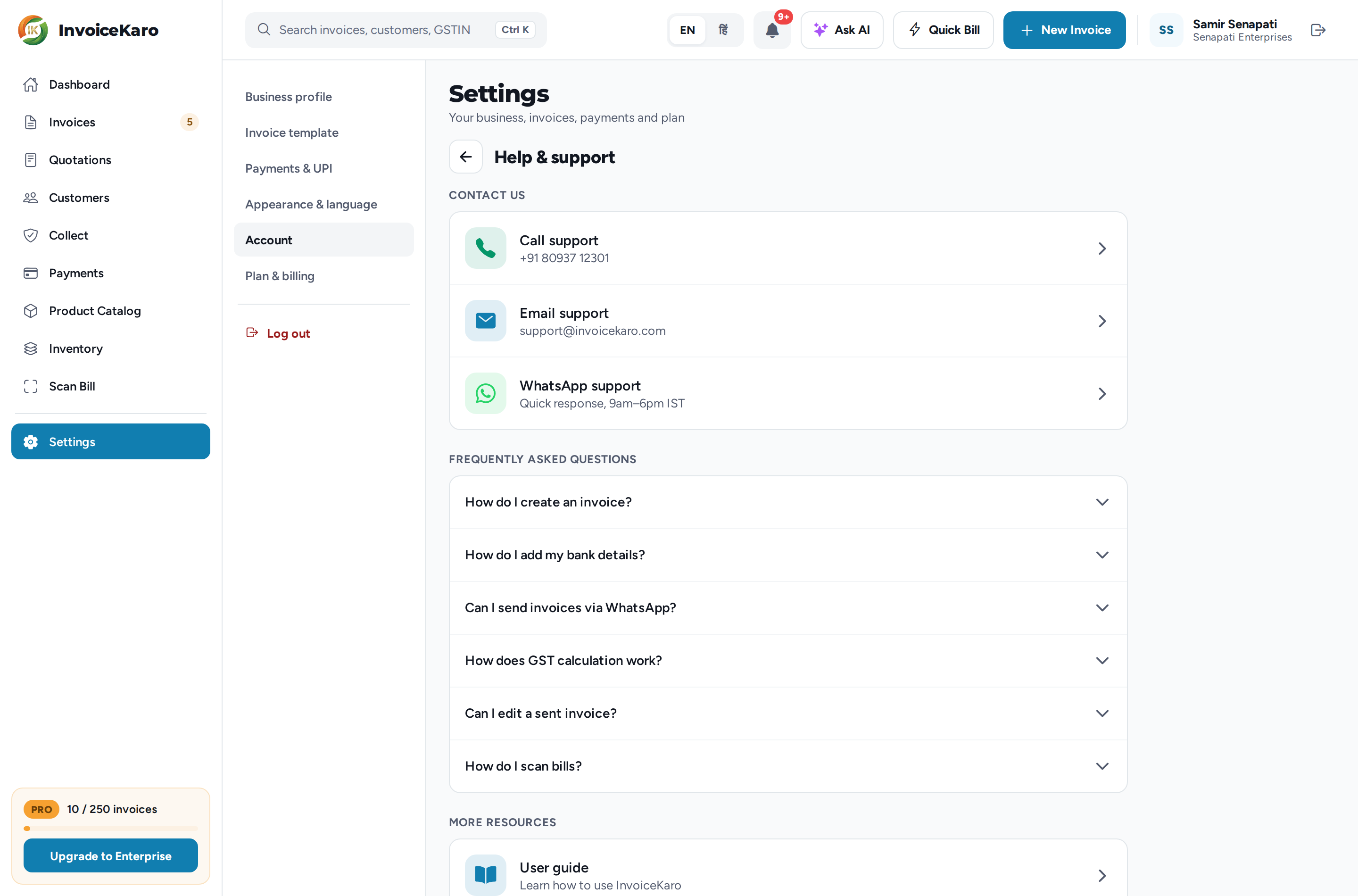
- Help & support: in Settings → Account, under Support & legal (on a phone, More → Settings → Support & legal). It has Call support, Email support and WhatsApp support, answers to common questions, and links to the user guide.
invoicekaro.com/app
Support channels
Pick the channel that matches your question so it reaches the right person:
| Channel | Use it for | Reach |
|---|---|---|
| Support email | Help with the app, bug reports and feature requests | support@invoicekaro.com |
| Phone | Talk to us directly | +91 80937 12301 |
| Quick chat-based help, 9am to 6pm IST | +91 80937 12301 | |
| Billing email | Plan purchases, payments and refunds | billing@invoicekaro.com |
| Privacy email | Access, correction or deletion of your personal data | privacy@invoicekaro.com |
| Grievance officer | Complaints under the IT Rules, 2021 | grievance@invoicekaro.com |
| Legal | Legal notices, compliance and partnerships | legal@invoicekaro.com |
Response times vary with support availability and the issue. Include the details below so the team can investigate.
Note
Sign-in codes, welcome and trial emails come from noreply@invoicekaro.com, and invoices to your customers come from billing@invoicekaro.com. Add both to your contacts so nothing lands in spam.
What to include for a fast reply
A little detail helps us solve things on the first reply. When you write in, please include:
- The phone number or email you sign in with.
- The screen you were on, what you did and what you expected to happen.
- What happened instead, with the exact message if there was one.
- The invoice or quotation number, or the customer, if it's about one.
- For an offline bill, its local reference, whether it says Waiting to sync or Needs review, and the exact error. Keep the original browser's saved data while the issue is investigated.
- Whether you're on a computer or a phone, which browser, and a screenshot if you can.
- For a plan purchase or refund, the order and payment IDs from your payment.
Important
Never share your OTP codes or API keys with anyone, and leave them out of screenshots. Our team will never ask for them. Sign-in is by one-time code only, so there's no password to reset or hand over.
Before you write in
- 1Check the FAQ and Troubleshooting: your issue may have a one-step fix.
- 2Moved to the redesigned app and can't find something? See What's new in the redesign.
- 3Ask Ask AI, which can answer using your live account data.
- 4If you still need us, call, WhatsApp or email the right address above with the details listed.