
InvoiceKaro stores customer MSME details and helps organise payment follow-up. The customer's registration, your own supplier status, and whether a legal remedy applies are separate questions. Projects does not verify registration, determine a statutory breach or calculate statutory interest.
Official delayed-payment guidance
The Ministry of MSME describes delayed-payment provisions for micro and small enterprises and the MSE Facilitation Council process in its official Samadhaan guidance. Use that guidance and a qualified adviser to check eligibility, relevant dates and any recovery step. An invoice's due date or a badge in InvoiceKaro does not settle those questions.
Your own MSME status
InvoiceKaro doesn't store your own Udyam registration, and it never assumes the Act applies to you, not even from your GSTIN. To show your registration to buyers, add it to the invoice's Notes / terms, for example Udyam Reg. No. UDYAM-XX-00-0000000. It prints under Terms & Notes on the PDF while Terms & Conditions is switched on in Invoice settings.
Record a customer's Udyam details
When a customer is a registered MSME, you can keep their Udyam details on their record, so you have them to hand in Projects and in evidence packs.
- 1Open Customers and click New customer, or select a customer and click the pencil (Edit customer) at the top of their details. On a phone, tap the customer first.
- 2Under MSME / Udyam, switch on Registered MSME.
- 3Enter their Udyam number (it looks like
UDYAM-XX-00-0000000) and MSME category (micro or small). - 4Click Add customer or Save changes.
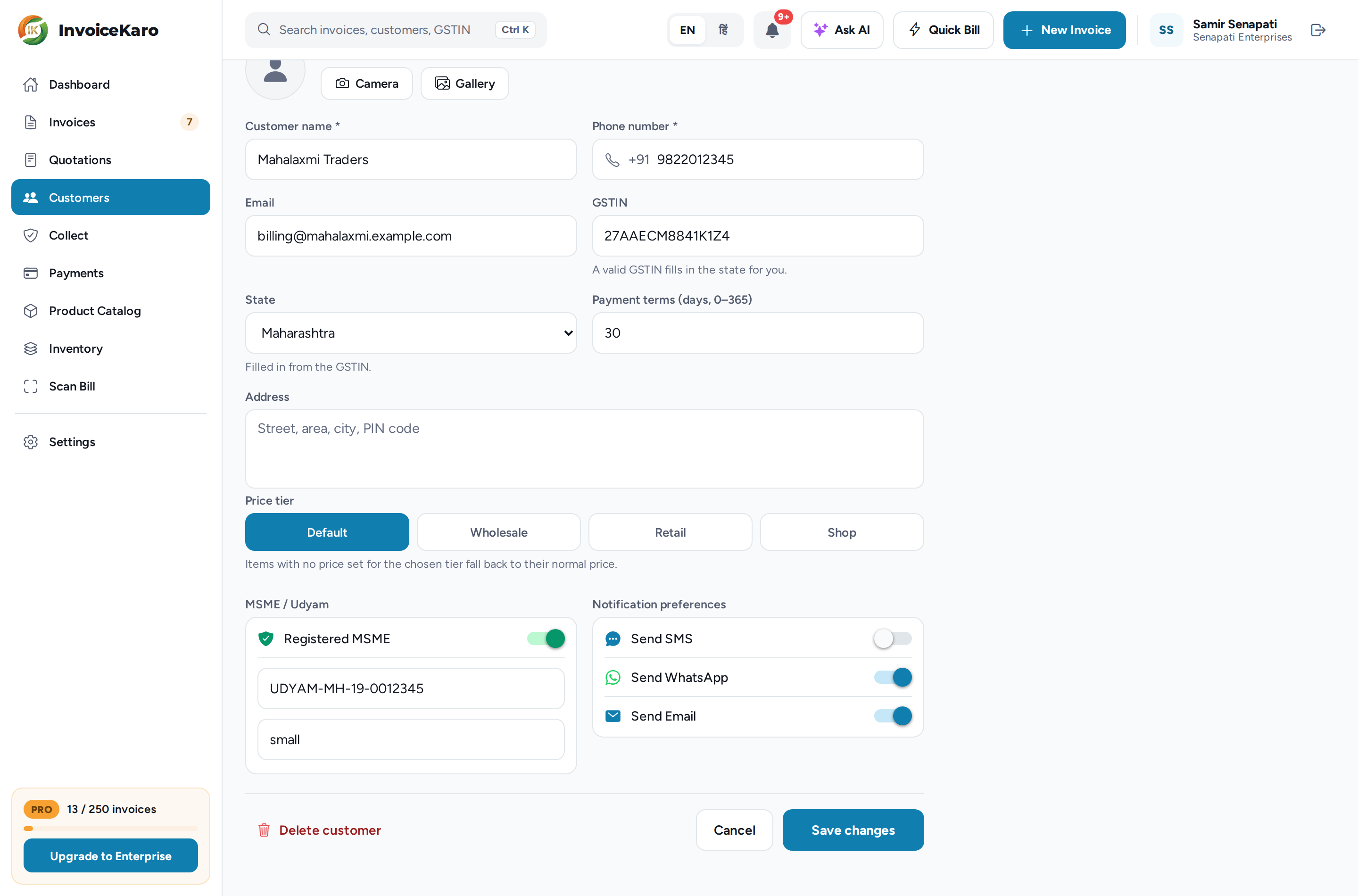
The customer then has an MSME badge in Customers and their Udyam no. in their details. Projects' client cards label them MSME customer with the number, and evidence packs record it under MSME / Udyam. These are details you entered about the customer, not a verified registration or a finding about your rights as their supplier. See Customers.
Spot late payers in Projects
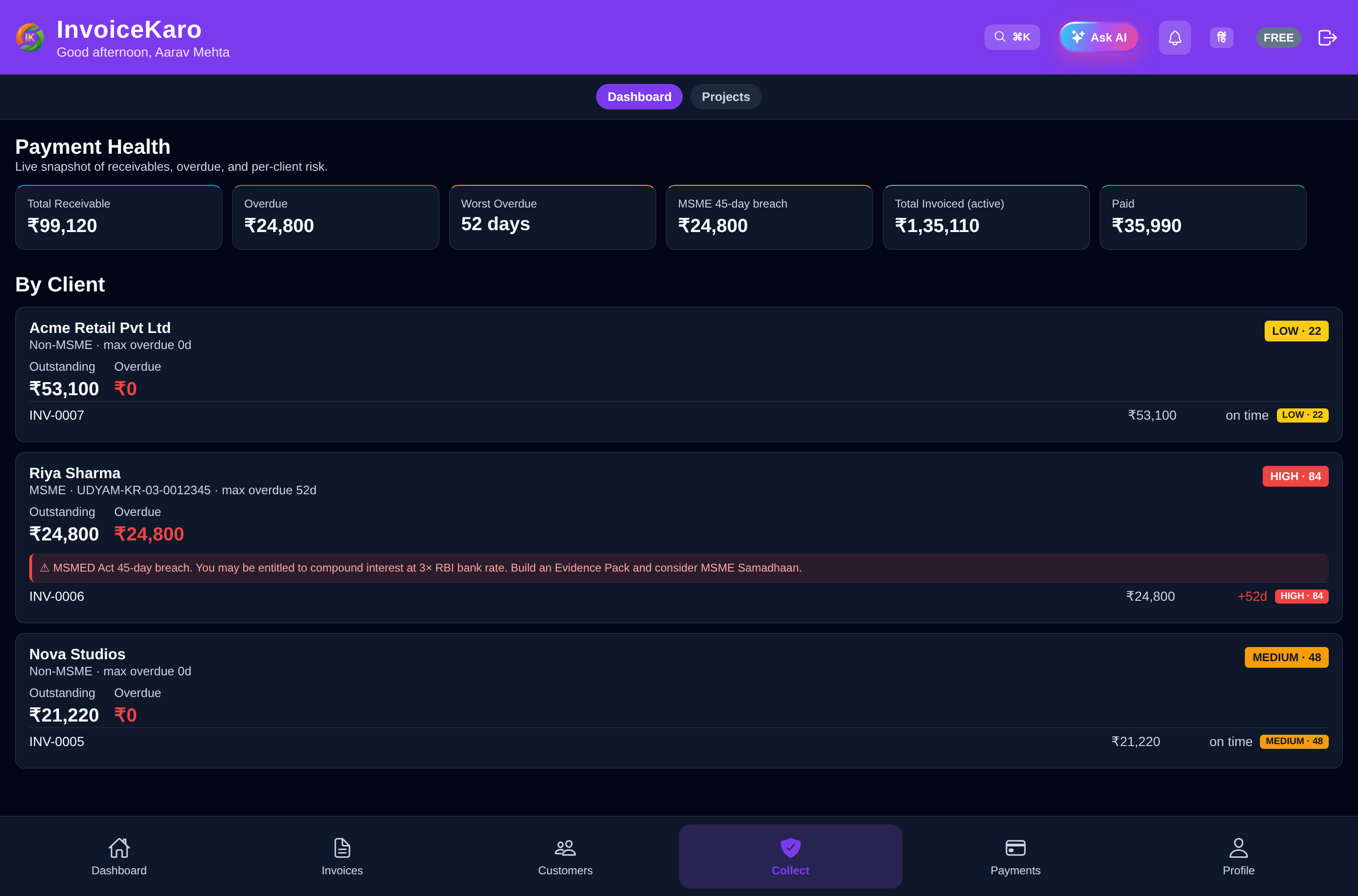
Open Projects from the left menu or More → Projects. On a phone, use More → Projects, whether or not a business type is selected. Roles with analytics access can open Overview, which shows Total receivable, Overdue and Worst overdue across the top, then a card for each client who owes you money, riskiest first. Each client and invoice is labelled by how many days it is past its due date:
| Label | Days past the due date |
|---|---|
| OK | Not overdue |
| Watch | 1 to 6 |
| Low | 7 to 14 |
| Medium | 15 to 29 |
| High | 30 to 44 |
| Critical | 45 or more |
Build your evidence as you go
If a payment ends in a dispute or a Samadhaan reference, you'll want one record of what was delivered, accepted and chased. For project work, Projects keeps it for you:
- Proof of delivery on each milestone: files, links and notes, with a SHA-256 fingerprint for each file. See Proof & client approval.
- A client approval link, valid for 14 days. Its acceptance certificate records the name and optional email entered, the time, IP address, browser information and a hash of stored proof references. It does not independently verify identity.
- Scheduled reminders, each logged with its date, and the AI follow-up assistant for a Polite, Firm or Final notice message in English or Hindi. See Reminders & AI messages.
- The Evidence pack PDF for a milestone or a whole project: the summary (including the client's MSME / Udyam status), proof, reminder log and acceptance certificate, plus a Letter of Demand once the invoice is 30 or more days overdue. See Evidence packs & escalation.