
Every account starts with a 14-day free trial, with no credit card needed. To keep creating and sending invoices after that, buy access to a paid plan for 30 days or 365 days. It's a one-time payment on the web, and it doesn't renew automatically, so you're never charged without choosing to be.
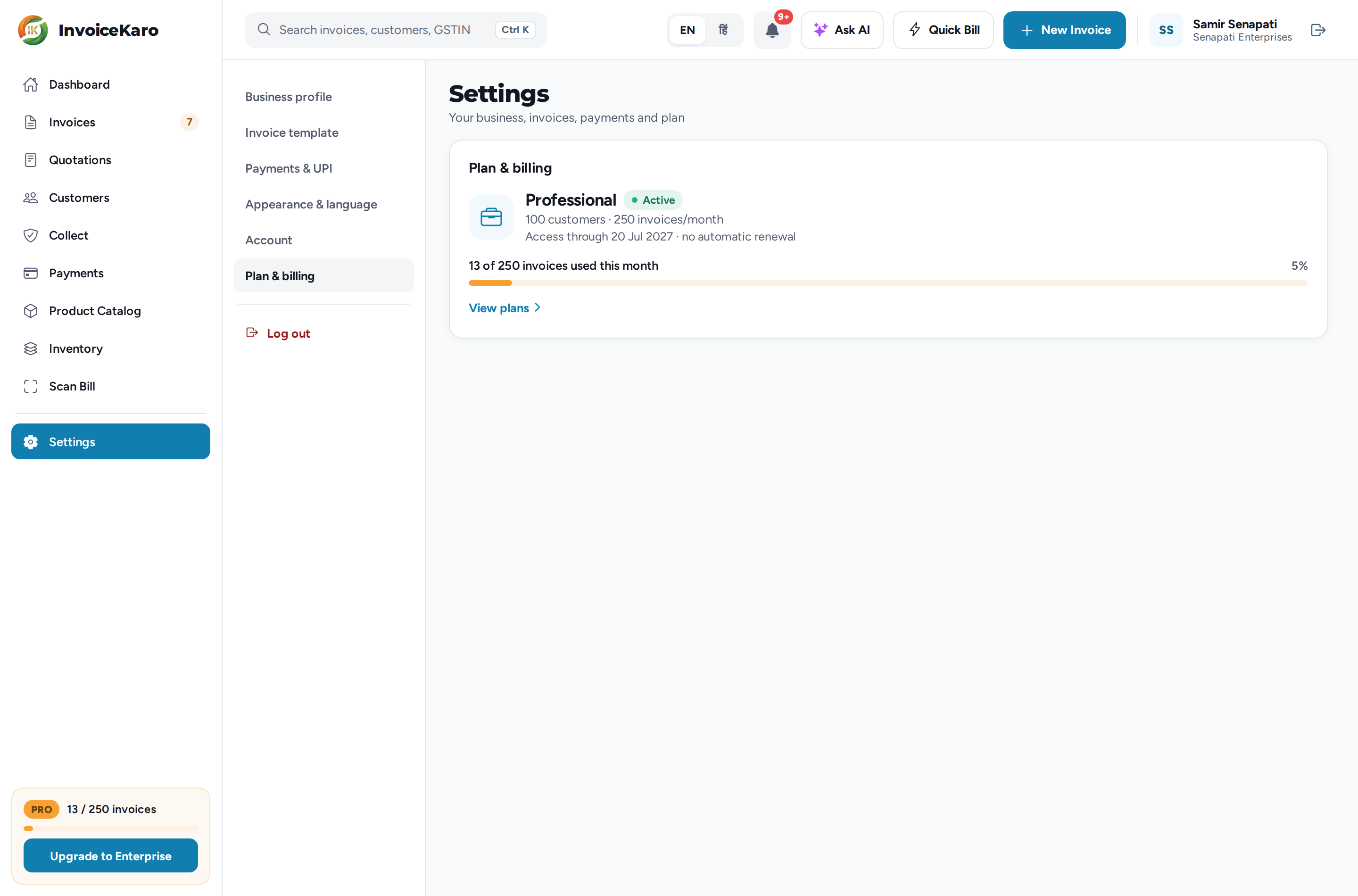
See your plan and usage
- The plan card at the bottom of the left menu (on a computer) shows your plan, the invoices used this month (for example
27 / 50 invoices) with a progress bar, and on the trial the days left. The account owner also gets a button to upgrade to the next plan, such as Upgrade to Professional. - Settings → Plan & billing (on a phone, the Plan & billing card in More → Settings) shows the plan, an Active tag, what it includes, and when access ends, for example Access through 11 Apr 2027 · no automatic renewal. Below that is a line such as 27 of 50 invoices used this month with a percentage.
- On a phone, your plan badge also sits in the header. In the last five days of the trial it shows the days left too.
Plans
These are the limits in the app's Upgrade plan window.
| Plan | Customers | Invoices a month | AI actions a month | Team & API |
|---|---|---|---|---|
| Free Trial (14 days) | 3 | 5 | 30 | Not included |
| Starter | 25 | 50 | 200 | 2 team members |
| Professional | 100 | 250 | 1,000 | 10 team members, 5 API keys |
| Enterprise | High-volume limits | High-volume limits | High-volume limits | 100 team members, 50 API keys |
Evidence-pack exports for Projects are limited too: 3 a month on the trial, 10 on Starter and 50 on Professional, with high-volume limits on Enterprise. Every plan makes GST-ready invoices.
Buy or upgrade a plan
Only the account owner can buy a plan. Open the Upgrade plan window from any of these:
- The Upgrade to … button on the plan card in the left menu.
- Settings → Plan & billing: Upgrade while you're on the trial, or View plans on a paid plan.
- View plans on the trial or expiry banner.
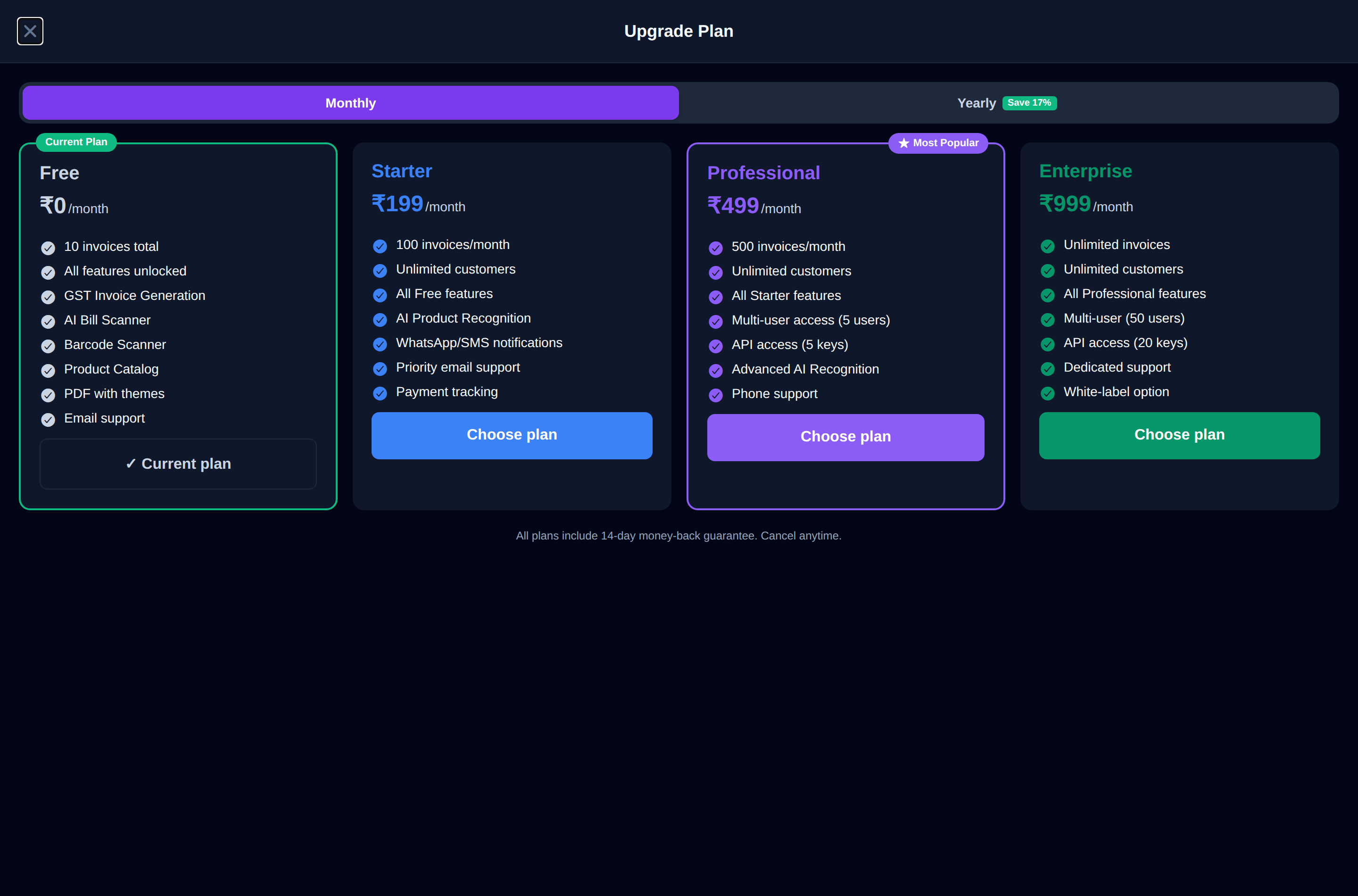
- 1At the top, pick 30 days or 365 days (marked Best value). The prices on the cards update to match.
- 2Click Choose plan on Starter, Professional or Enterprise. Your current plan is marked Current plan.
- 3In Complete Payment, check the amount and click Pay Now. Payment is handled securely by Razorpay, by card, UPI, wallet or net banking.
- 4When the payment goes through, you'll see Plan access activated with the date your access runs until. The new limits apply straight away, and your existing records are retained.
When your trial or access ends
- Three days before the trial ends, a banner reads Your free trial ends in N days. with a View plans button. A reminder also appears under the bell; email delivery depends on your contact details and the delivery service.
- When the trial or a paid plan has ended, a red banner appears at the top and your plan shows Expired, with Trial ended on … or Access ended on … in Plan & billing.
- Your existing records remain available to view. You can still sign in and view the invoices, customers and settings your role allows. Creating, sending and using AI are paused until you buy access again.
When you reach a limit
If you reach your plan's limit for customers, invoices or AI actions, InvoiceKaro stops and tells you which limit you've hit. On the trial, the Upgrade plan window opens so you can move up straight away. The monthly limits reset at the start of the next month.
billing@invoicekaro.com. For anything else, the team is at support@invoicekaro.com or +91 80937 12301.