
InvoiceKaro is a GST invoicing and billing app for Indian small businesses: shops and traders, freelancers, agencies and MSMEs. Create GST invoices in seconds, bill walk-in customers at the counter with Quick Bill, keep track of stock and expenses, and get paid straight into your own UPI or bank account.
invoicekaro.com/app
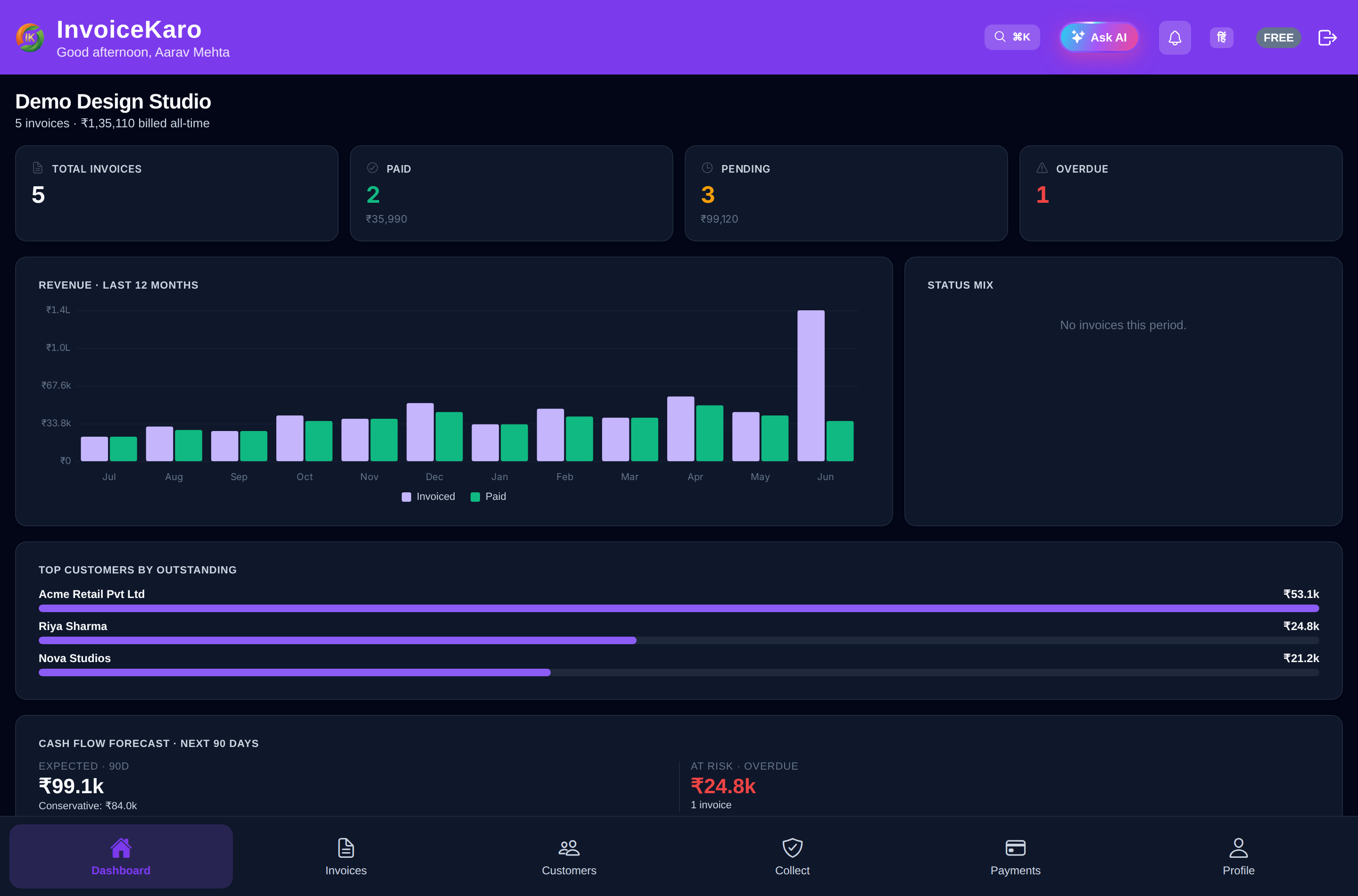
Choose Shop / Retail, Services / Projects, or Both to put your everyday tools first. Existing workspaces keep their layout until the owner chooses. See business types.
What you can do
GST invoicesInvoices numbered in one consecutive series per financial year, HSN/SAC on every line, and CGST + SGST or IGST worked out from the place of supply.
Quick Bill at the counterTap items to bill a walk-in customer, show a UPI QR with the amount already filled in, and print a receipt on a roll printer.
Get paid directlyShare an issued invoice's pay link so customers can pay your UPI or bank account directly.
QuotationsPrice the work first, send the quote as a PDF, on WhatsApp or by email, and convert it into an invoice once it's accepted.
Stock, purchases & expensesProduct Catalog, stock on hand, purchase bills, expenses and profit reports. Scan Bill reads a paper bill and fills the form in for you.
Customers & portalGSTIN, payment terms, outstanding balance and invoice history for every customer, plus a private portal link where they see their invoices and pay.
Projects with proofFor milestone work: attach proof of delivery, get the client's approval, and chase what's due.
Ask AIAsk about your business: who to chase first, how this month compares, or a reminder you can send. The dashboard also shows AI insights.
Tip
Unreliable internet? Prepare Offline billing while connected, then save invoice drafts and cash sales on the device. They sync when you reconnect with the app open.
Moving from another billing app?
The owner can download records and import supported CSVs from Settings → Data & backup. Start with customers and products, then bring item-level invoices and dated payments. Keep your original app's backup; a native vendor backup is not a CSV.
Who it's for
- Shops, retailers & traders who bill walk-in customers all day and want stock, purchases and GST in one place.
- Freelancers & consultants who bill clients, want to look professional and need to get paid on time.
- Agencies & service businesses that work in milestones and need proof of delivery before payment.
- Small & medium businesses (MSMEs) that need GST-compliant invoices and a simple way to track dues.
Tip
InvoiceKaro runs in your browser, with nothing to install. Open invoicekaro.com/app on a computer and you get a full-height menu on the left; on a phone you get tabs along the bottom. Switch between English and Hindi with EN / हिं at the top of the screen.
How it works, in short
- 1Create your account with a one-time code on WhatsApp or email (no password and no card), then add your business details and your UPI ID or bank account.
- 2Add a customer and create a GST invoice. InvoiceKaro gives it the next invoice number, works out the tax and builds the PDF.
- 3Send it by email or SMS with a link to view and pay. The current WhatsApp option sends an alert without the pay link; to share it yourself, use the PDF and Mark as sent, then Copy pay link.
- 4Your customer pays straight into your UPI or bank account. You mark the invoice paid and the dashboard updates.
Selling at a counter? Quick Bill does all of this in one step for walk-in sales: tap the items, take the money, print the receipt.
Note
Ready to start? Create your account, take the tour of the app, or jump straight to the 5-minute quick start.