
A quotation is a price you've offered, not a sale. It creates no invoice, no amount owed and no stock movement. Its whole job is to become an invoice once the customer says yes.
Open Quotations
- On a computer: Quotations in the left menu or More → Quotations.
- On a phone: the More → Quotations.
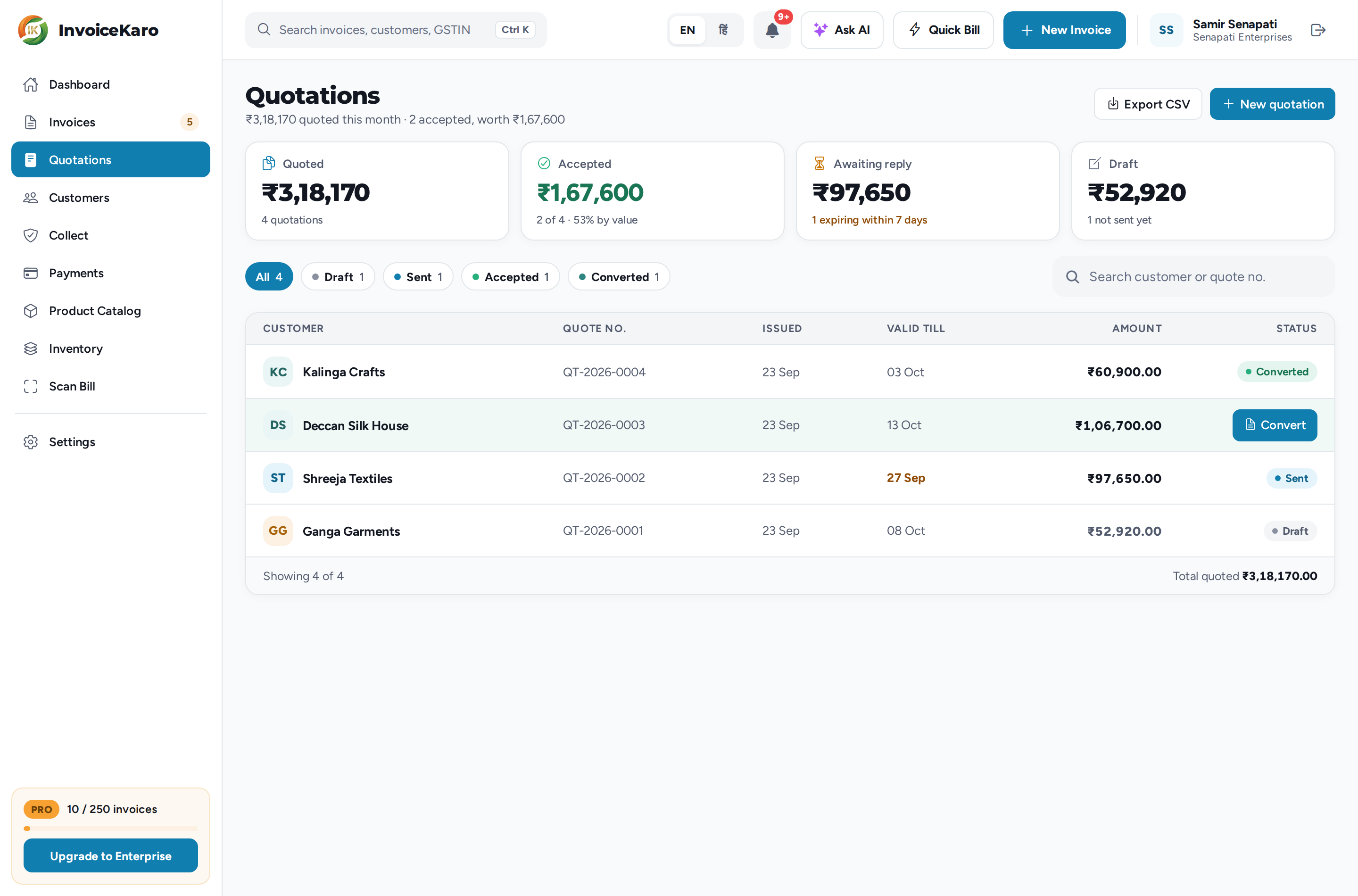
At the top are four figures: Quoted, Accepted, Awaiting reply and Draft. Below them, chips filter the list by status, and you can search by customer or quote number. Export CSV downloads the list. On an accepted quote, the row has a Convert button.
Create a quotation
- 1Click New quotation.
- 2Choose the Customer, or add a new one from the list.
- 3Set Valid until: pick 7 days, 15 days or 30 days, or enter a date. Without a date, the app cannot mark the quote expired automatically.
- 4Add your items: search your catalogue or type one, then set the Qty, Rate (₹) and GST %. Click Add another item for more.
- 5Add any Notes (optional), such as delivery time or what's included, then click Save quotation.
Quotes use the invoice calculation engine, with CGST + SGST or IGST derived from your state and the customer's. Review the lines and tax details before sending and again before issuing the converted invoice. A new quote is a Draft numbered from its own financial-year series, such as QT-2026-0001. Older quotes retain their original numbers.
From draft to invoice
| Status | What it means |
|---|---|
| Draft | Saved, not sent yet. Only a draft can be edited or deleted. |
| Sent | Shared with the customer, who hasn't replied yet. |
| Accepted | The customer said yes. Still nothing is owed until you convert it. |
| Converted | It's now an invoice, and View invoice opens it. |
| Expired | Past its valid-until date with no acceptance. Worked out every day, so a quote doesn't stay live because nobody checked it. |
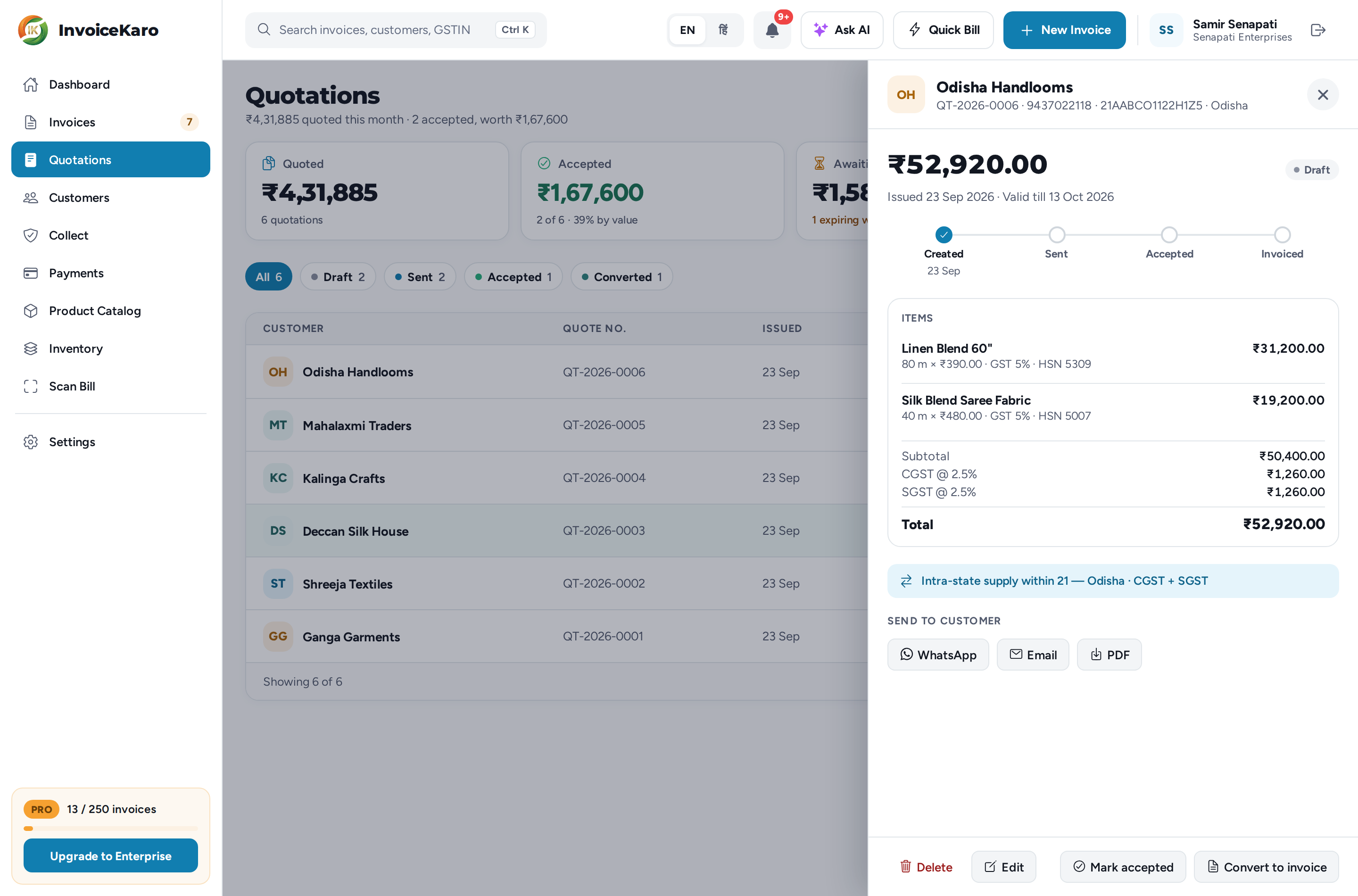
Click a quote to open it. You'll see the steps it has reached (Created, Sent, Accepted, Invoiced), its lines and totals, and the actions for its status.
Send it
- WhatsApp opens a chat with the customer, with a message giving the quote number, amount and validity, and downloads the PDF for you to attach.
- Email sends it to the customer's email address with the PDF attached. The customer needs an email address saved.
- PDF downloads the quotation. For a draft, you're then asked whether to Mark as sent.
Sending on WhatsApp or by email marks the quote Sent. The PDF is titled QUOTATION and shows the validity date instead of a due date, with no payment details, because nothing is owed yet.
Accept and convert
When the customer agrees, click Mark accepted. To bill it, click Convert to invoice (or Convert on the row) and confirm. InvoiceKaro creates an invoice from those exact lines, with your next invoice number and the customer's usual payment terms, and offers View invoice.